
How to Change a Link's Destination URL

Need to fix a typo or update where your short link points to? You can easily edit the Destination URL of any link in your Linkryse dashboard.
However, depending on your plan and when the link was created, there may be specific rules regarding how long a link remains editable. This guide explains how to make changes and how our security locking system works.
How to edit a link
- Log in to your Linkryse Dashboard.
- Navigate to the All Links page.
- Find the link you want to change and click the Three Dots (…) menu, then select Edit.
- Locate the Destination URL field at the top of the form.
- Enter the new URL and click Save Changes at the bottom of the screen.
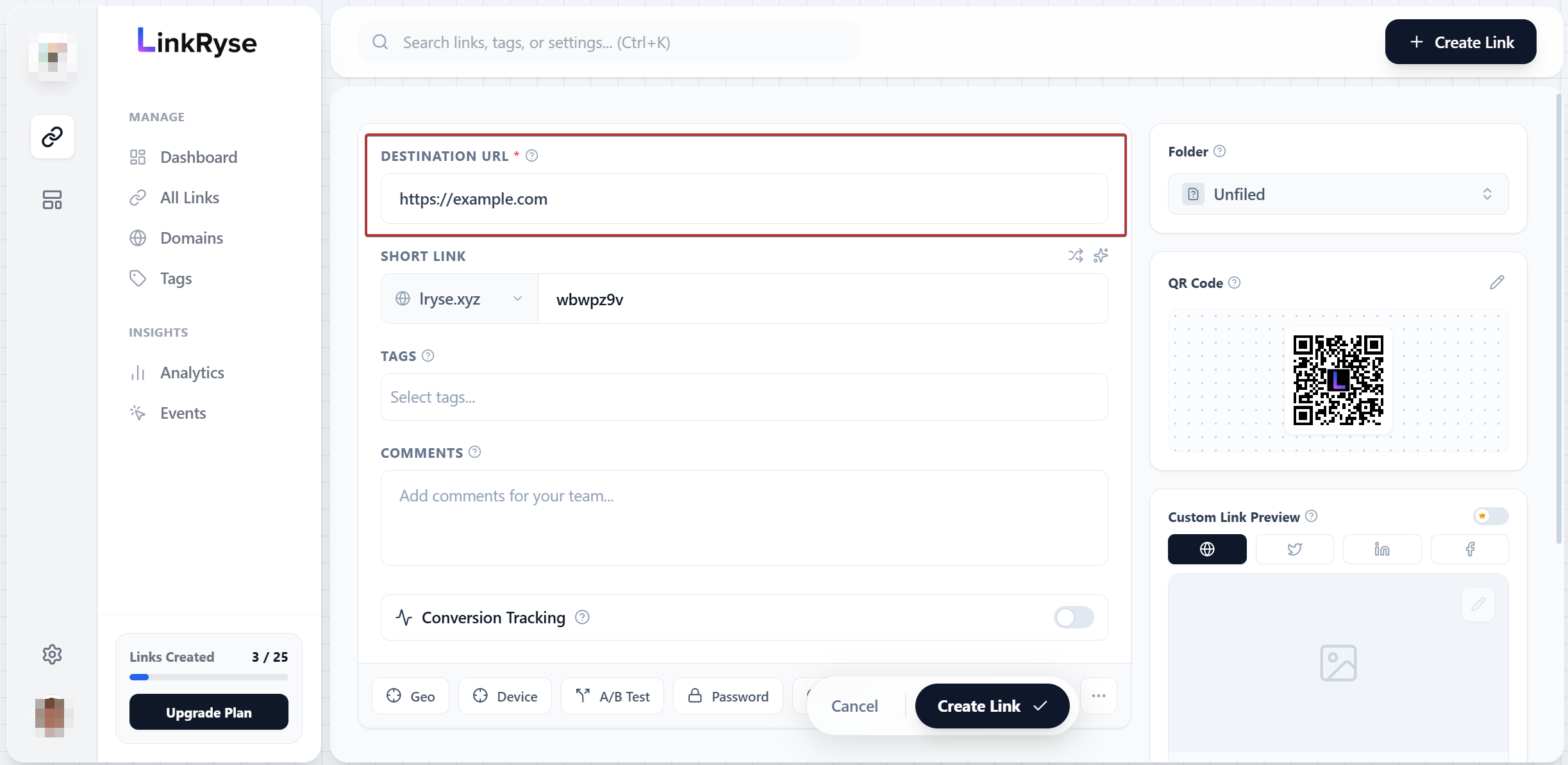
The 30-Minute “Typo Window”
We understand that mistakes happen. Maybe you pasted the wrong link or misspelled a domain name.
Every link created on Linkryse has a 30-minute safety window. During this time, you can edit the Destination URL freely, regardless of your subscription plan.
Why is the Destination URL locked?
If you see a Lock Icon inside the Destination URL field, it means the 30-minute editing window has passed.
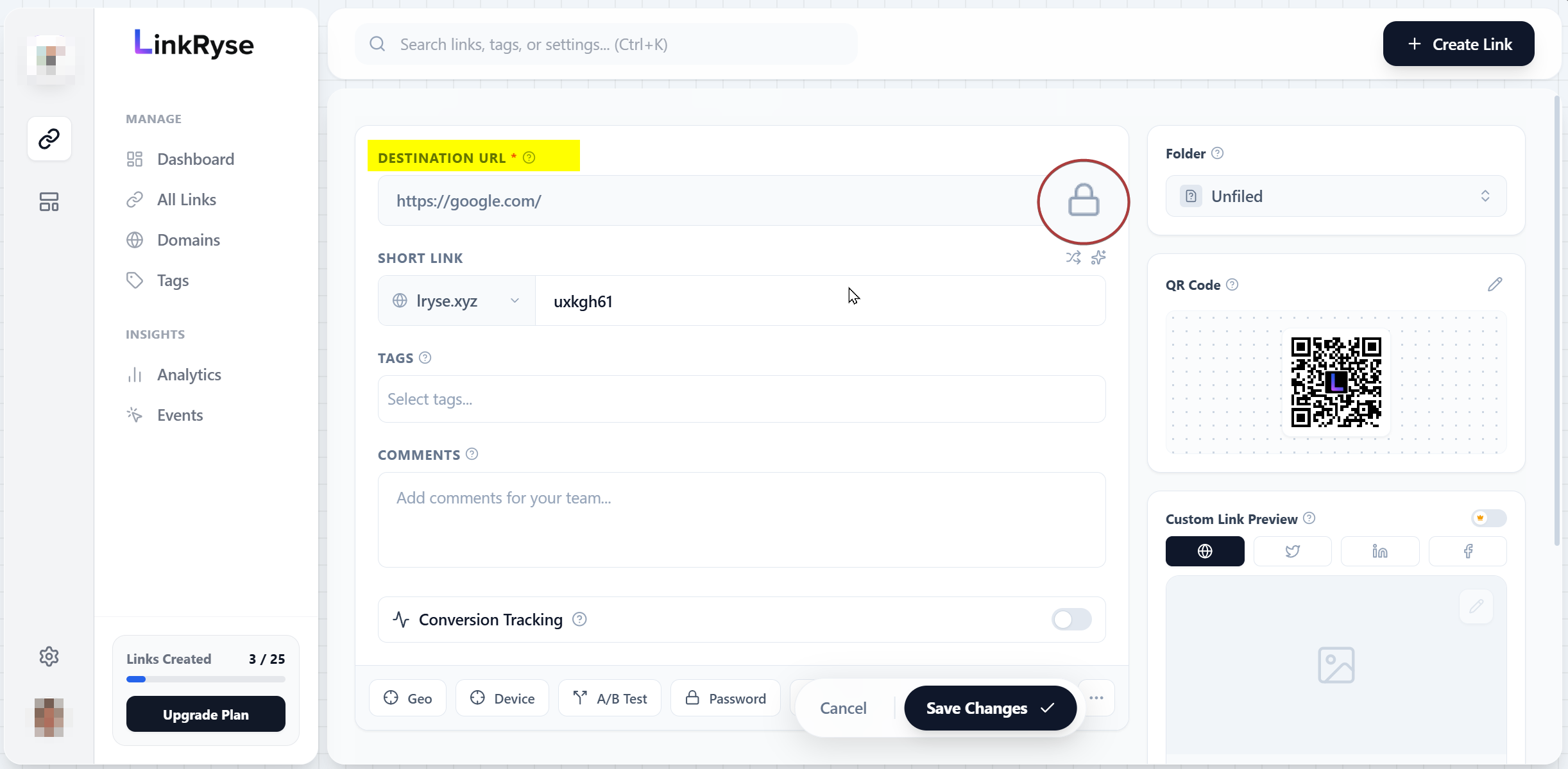
To maintain the security and reputation of our platform, we restrict the ability to change destination URLs on older links for free accounts. This prevents malicious actors from creating safe links and swapping them to harmful content later (“Bait and Switch” attacks).
Note: You can still edit the Title, Tags, Notes, and other settings at any time. Only the Destination URL is locked.
Editing Rules by Plan
| Plan | Editing Window | Best For |
|---|---|---|
| Starter (Free) | First 30 Minutes Only | Fixing typos immediately after creation. |
| Hobby / Pro / Business | Unlimited / Anytime | Long-term campaigns where the destination might change (e.g., monthly promotions). |
If you need to change the destination of an older link, you can upgrade to a Pro plan to unlock unlimited editing instantly.
Was this article helpful?