
What is Link Cloaking?

Link Cloaking (also known as URL Masking) is a feature that allows you to hide the destination URL from your visitors. Instead of redirecting them to a new address, the browser keeps showing your branded short link in the address bar.
How it works
Normally, when a user clicks a short link, they are redirected:
- User Clicks:
link.brand.com/sale - Browser Shows:
amazon.com/products/123?ref=affiliate_id_555
With Link Cloaking enabled, the behavior changes:
- User Clicks:
link.brand.com/sale - Browser Shows:
link.brand.com/sale(The destination content loads inside this frame)
Why use Link Cloaking?
Hide Affiliate Links
Affiliate links are often long, ugly, and obvious. Cloaking them makes them look cleaner and prevents users from bypassing your tracking code by copying the clean URL.
Brand Consistency
If you are sharing a Google Doc, Typeform, or PDF, you might want users to feel like they are still on your website. Cloaking keeps your domain name visible throughout their experience.
How to enable it
You can enable cloaking for any link in the Linkryse builder:
- Create or Edit a link.
- Scroll down to the Link Cloaking section.
- Toggle the switch to On.
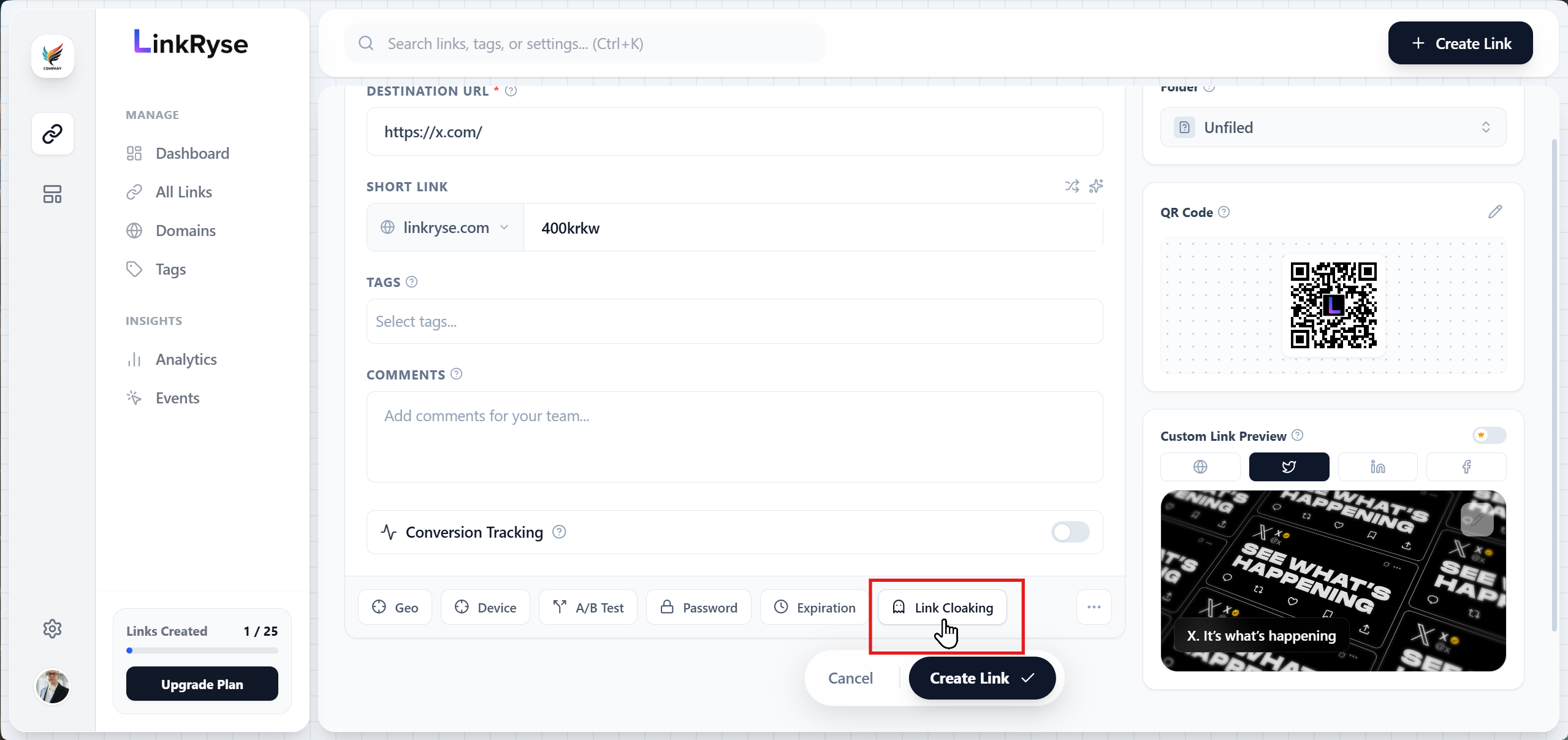
Troubleshooting: “Not Cloakable” Warning
Sometimes, you might see a warning message saying “Not Cloakable” when you enter a destination URL.
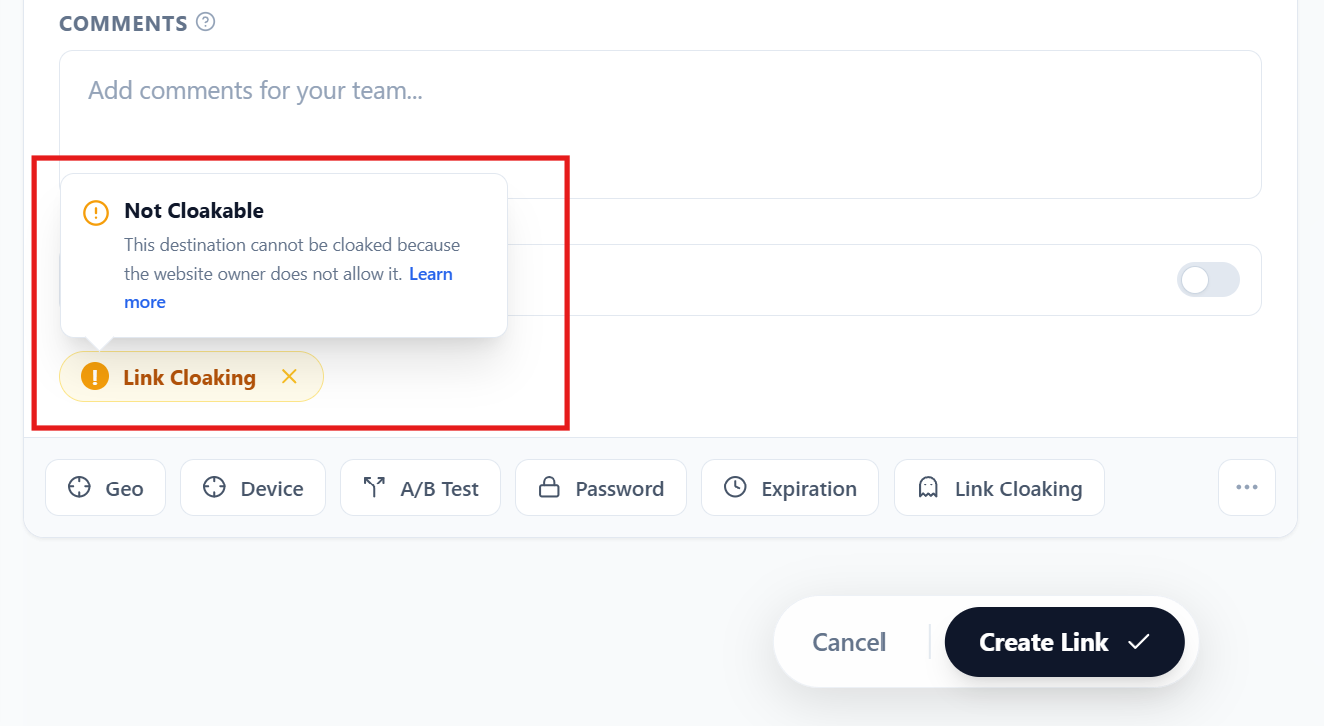
Why does this happen?
Link Cloaking works by loading the destination website inside an “iframe” (a window within a window). For security reasons, many major websites block themselves from being loaded inside frames to prevent attacks like “Clickjacking.”
Common sites that block cloaking:
- Google, YouTube, Facebook, Instagram, Twitter (X)
- Banking websites (Stripe, PayPal)
- Major e-commerce sites (Amazon)
If you see this warning, you must disable Link Cloaking. If you force it on, your users will likely see a blank white screen instead of the content.
Was this article helpful?